“Loading” stays on screen
A first load can take up to a minute before the login screen appears. If Loading is still there after a full minute, reload this page once and try again on a desktop connection.
Free browser game · No download
Free arena PvP browser game — plays in this tab.
Game not loading? Open the original game at arenaofchampions.live →
Click inside the game window before using your keyboard.
Still blank? The game may be slow to connect — try the original page.
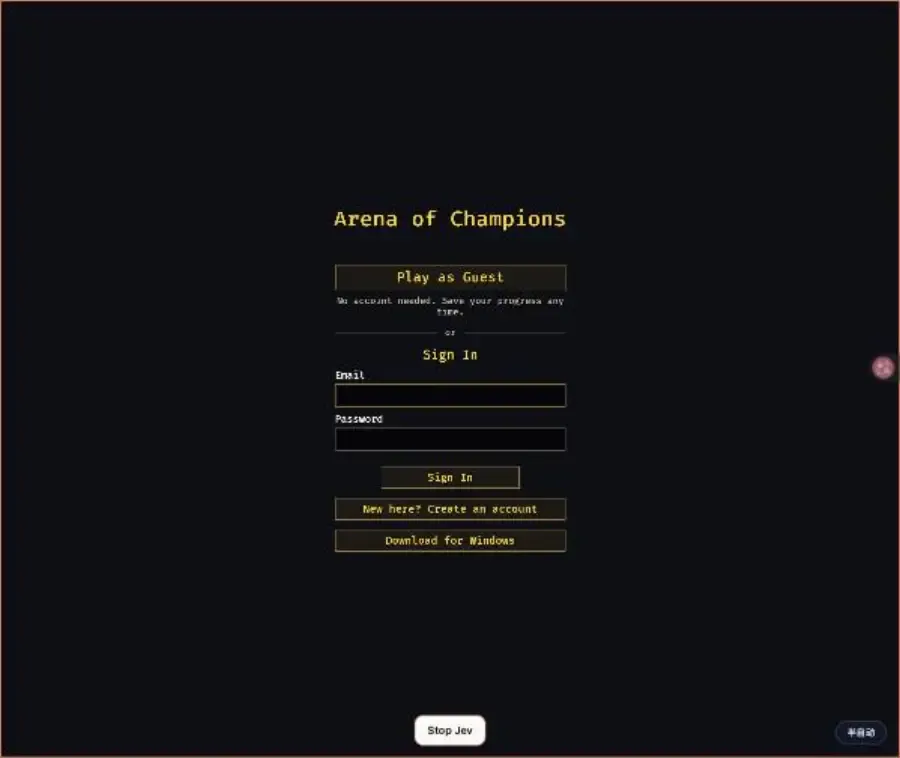
The game loads straight into the login screen. Three steps get you from there to the keys.
The login screen replaces the Loading text, usually within a minute on a desktop connection.
No account needed: the game gives you a guest name that survives a refresh.
Browsers send keys to the focused window. Click the game once, then use the keyboard.
Arena of Champions is a free arena PvP game that runs in a browser tab, so there is nothing to download and no launcher to open. The original game is hosted at arenaofchampions.live and the frame above loads that address directly. Play starts on the login screen: choose Play as Guest and the game hands you a guest name, and a refresh signs the same guest back in. Email sign-in, account creation and a Windows download sit on the same screen. Inside, you move with the keyboard, look around and turn with the mouse, and pick enemies by tab. This page covers the login flow, the default keys and what to do when the game will not load; class builds and match strategy are not.
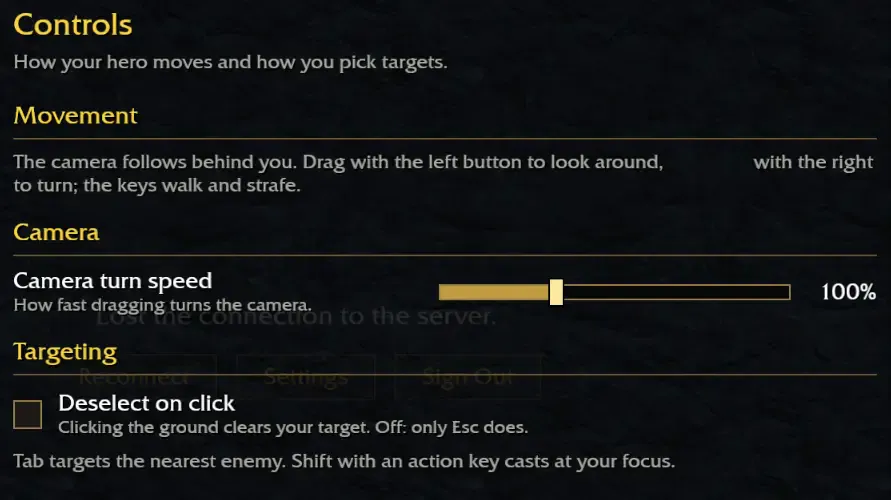
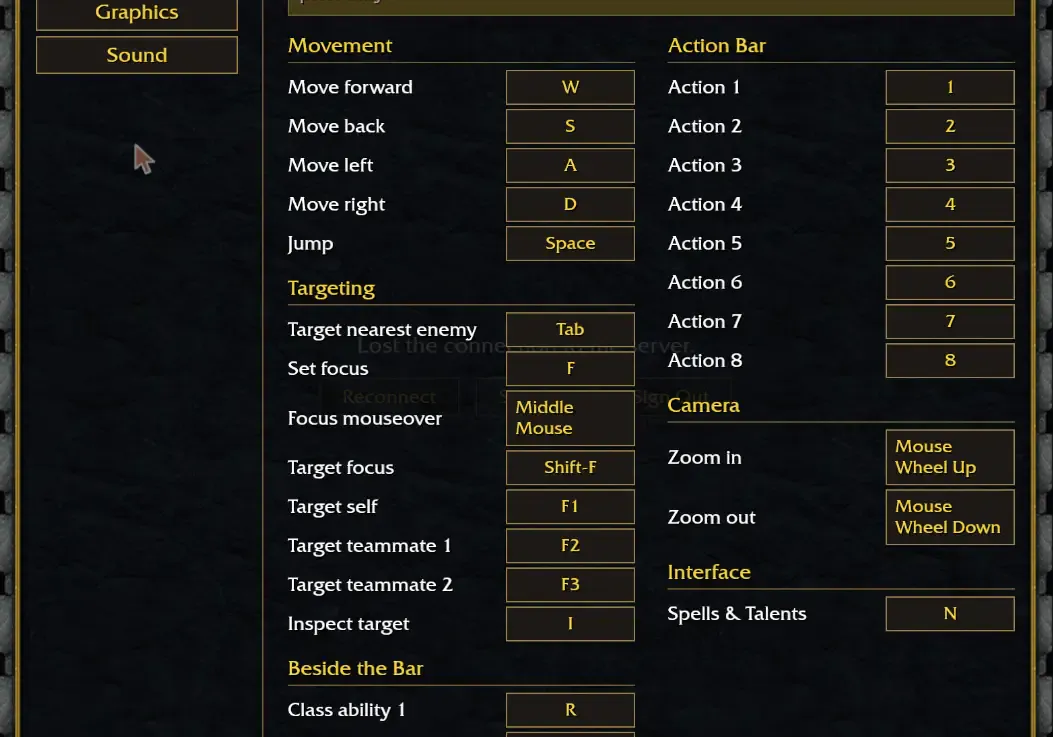
These are the bindings the game ships with. Settings → Key Bindings changes any of them, and Reset Key Bindings puts every key back.
| Group | Action | Default key |
|---|---|---|
| Movement | Move forward / back / left / right | W / S / A / D |
| Targeting | Target nearest enemy | Tab |
| Action bar | Action 1–8 | 1–8 |
| Camera | Look around / turn your character | Left drag / right drag |
| Camera | Zoom in / zoom out | Mouse wheel |
The full list, the focus keys and the camera options are in the how to play guide.
Three messages cover almost every failed start, and each fix takes a few seconds.
A first load can take up to a minute before the login screen appears. If Loading is still there after a full minute, reload this page once and try again on a desktop connection.
The client signed in but could not stay connected to its game server. Click Reconnect once; if the message comes back, reload the page or continue on the original site.
The client stopped during startup, before the login screen appears. Reload once, then open the original game site in a new tab: if the same message appears there, the problem is on the game side, not on this page.
FAQ
Click Play as Guest on the login screen in the game window above. The game gives you a guest name, and a refresh signs you back in as the same guest.
No. Guest play needs no account, and the login screen says progress can be saved any time. Create an account when you want the progress kept.
Yes. The game loads and plays in the browser tab with no payment step and no launcher to install. A Windows client is offered on the same login screen if you want one.
WASD moves, Tab targets the nearest enemy and 1–8 fire the action bar. Settings → Key Bindings changes any key, and the how to play guide lists every default.
The client signed in but lost its link to the game server. Click Reconnect once; if the message comes back, reload this page or carry on at the original site.
The client stopped during startup, before the login screen. Reload once, then open arenaofchampions.live in a new tab — if the same message shows there, the fault is on the game side.
Browsers keep audio silent until you interact with a page. Click inside the game window once; if sound stays off, check the tab volume and Settings → Sound in the game.
The controls are built for a keyboard and mouse: WASD, Tab targeting and an eight-slot action bar. Use a laptop or desktop with a physical keyboard for the full set.
Last updated: November 1, 2026
One more round?
Play Arena of Champions